Samsung TVs are the easy case. Tizen, the operating system on every Samsung smart TV since 2015, runs IPTV players natively from Samsung's own app store - no sideloading, no developer settings, no extra hardware in the HDMI port. If your TV is a 2018 model or newer, the entire setup is installing one free app and pasting one URL.
The parts that actually trip people up are smaller: finding where the playlist field hides inside the player, a store that quietly filters apps by region, and Samsung's motion smoothing making live sport look wrong. All three are handled below.
As with every guide on this site, you need credentials before the last step - either a plan from the pricing page or the 24-hour free trial, which issues the same M3U URL a subscriber gets.
Tizen in one minute
Tizen is Samsung's own operating system, and Samsung has shipped it on every smart TV it has made since 2015 - which, given Samsung has led global TV sales for eighteen consecutive years, makes Tizen the most widely deployed TV platform in the world. The app store is curated the way phone stores are: apps install with one click and update themselves.
For IPTV that cuts both ways. Installation is genuinely the simplest of any device in these guides, but you can only run what the store carries in your region, and Tizen sets from 2015-2017 have too little memory to run modern players reliably. The compatibility table below is honest about which years to trust.
Worth knowing: Tizen players authenticate either by M3U URL or by the device ID the app shows on first launch. Both routes are covered in step 4, and the device-ID route means you never have to type a long URL with a TV remote at all.
What you need before you start
- A Samsung smart TV from 2018 or newer running Tizen
- Your welcome email with the M3U URL, or the device ID shown by the app for account linking
- The TV connected to the internet - wired, if it sits anywhere near the router
- The free SmartThings app on your phone, optional but excellent as a keyboard
No credentials yet? Get them with a 24-hour free trial or a plan from $15 on the pricing page.
Step-by-step: Samsung Smart TV
- 1
Open the Apps panel
Press the Home button and scroll to Apps. On 2022 and newer models Apps lives in the left-hand rail of the redesigned home screen; on older Tizen versions it sits in the bottom row. Either way, it is Samsung's own store - there is nothing to enable first.
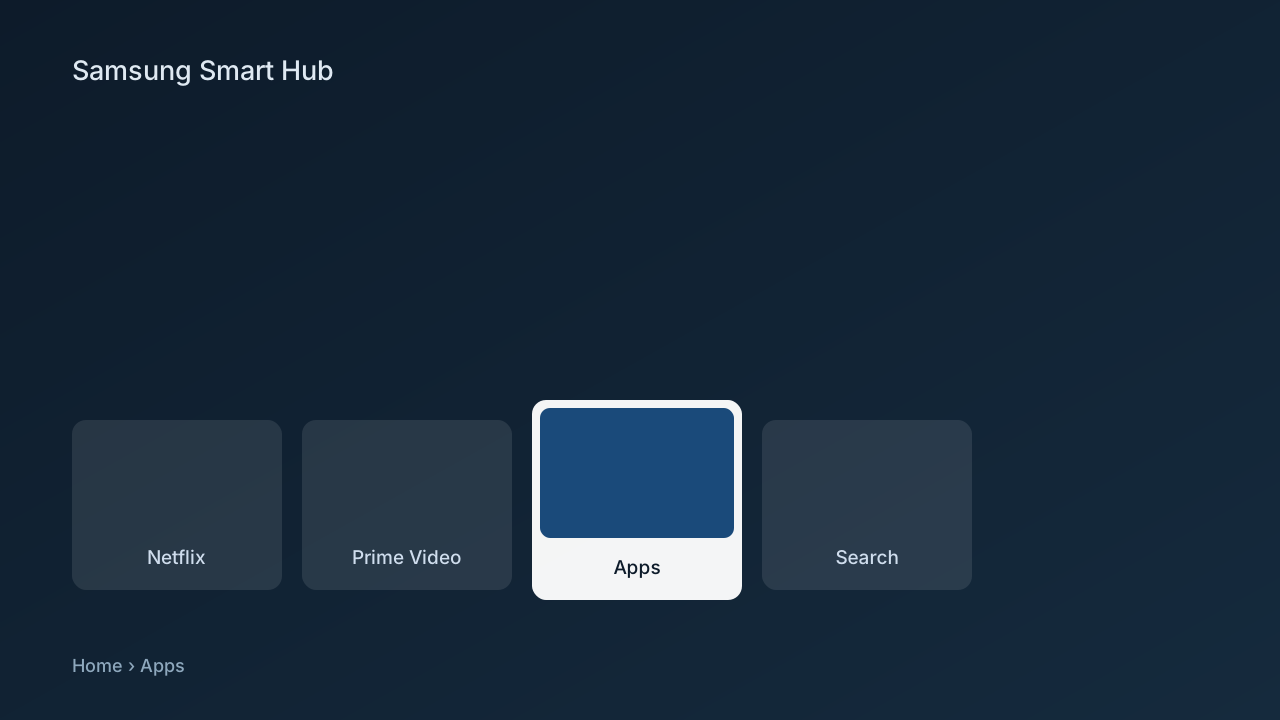
Diagram: the Samsung Smart TV home screen with the Apps panel open - 2
Search for the player
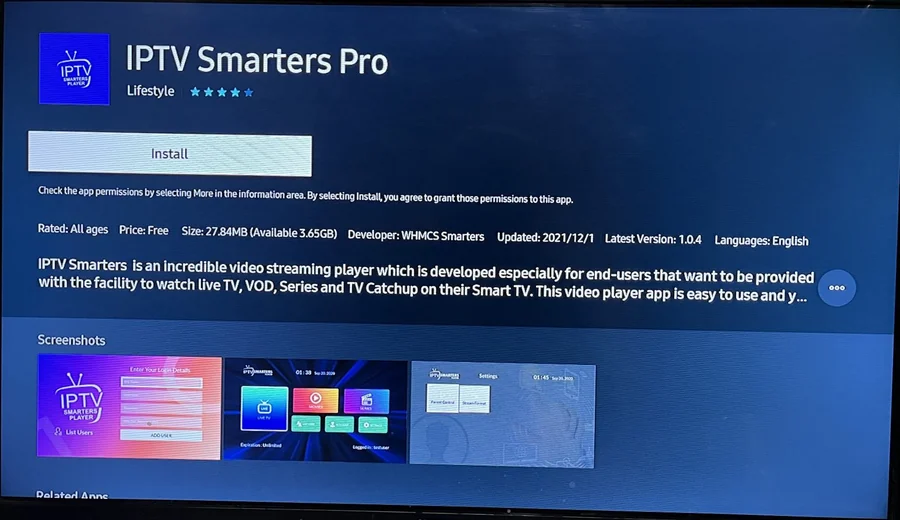
Select the magnifying glass and type the player name from your welcome email. The on-screen keyboard works; the SmartThings app on your phone works better - once paired, your phone keyboard types into any field on the TV.
IPTV Smarters Pro listing in the smart TV app store, showing the Install button - 3
Install and open the app
Select Install - the player is free - and open it when the button flips to Open. On first launch it shows a setup screen with a device ID or MAC address. Leave that screen up for the next step.
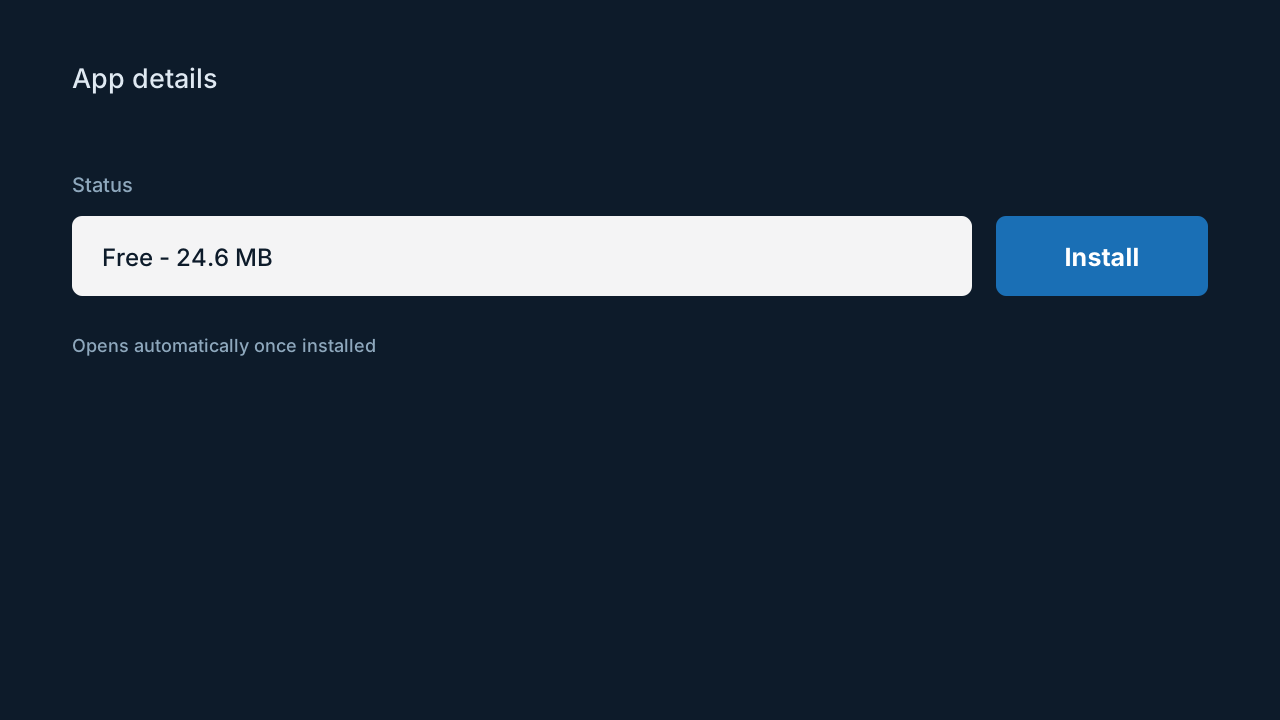
Diagram: the Samsung app store install screen for the player - 4
Add your playlist, either of two ways
Route one: paste the M3U URL from your welcome email into Add playlist. Route two: send us the device ID from the previous step and we link it to your account server-side, usually within a few minutes - no typing on the TV at all. Both end in the same place.
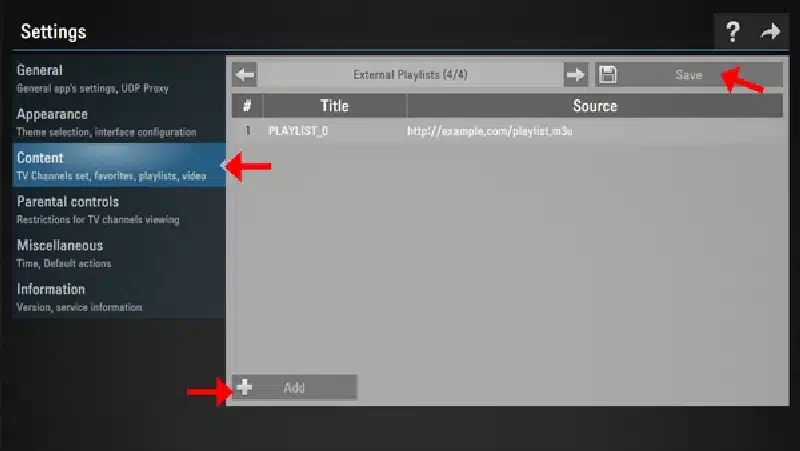
External playlists settings screen with an M3U source, Add and Save - 5
Save and let the guide populate
Save, then give the channel list and EPG a minute to fill in. The guide file is large on first load and Tizen downloads it conservatively; after the first run it refreshes in the background and opens instantly.
- 6
Fix the picture for sport
In Picture Settings, turn off Picture Clarity - Samsung's motion smoothing - or switch to Game mode for live sport. Interpolation makes film look smooth and fast breaks look artificial, and it adds input lag you can feel when flicking channels.
Samsung TV years and IPTV support
| Model years | Platform | Player support | Recommendation |
|---|---|---|---|
| 2021-2026 | Tizen 6.0+ | Full | Install from the store, done |
| 2018-2020 | Tizen 4.0-5.5 | Full | Works well on all mainstream players |
| 2015-2017 | Tizen 2.x-3.0 | Partial | Runs some players, crashes under memory load |
| Before 2015 | Orsay / none | None | Use a $30 streaming stick in HDMI instead |
Tips that save time
The SmartThings keyboard trick
Pair the free SmartThings app and every text field on the TV becomes typeable from your phone, including paste. A 60-character M3U URL takes four seconds instead of four minutes of remote-arrow typing - this is the single best Samsung tip there is.
Check the TV's own speed reading
Settings, General, Network, Network Status shows what the TV actually receives, which is regularly half what your phone sees in the same room - cross-check it against Speedtest. Under 25 Mbps and wanting 4K means a cable run or a powerline kit, not an app setting.
Pin the player to the home row
Hold select on the app icon and choose Move - put it first in the row. Trivial, but it is the difference between TV that starts in two clicks and a nightly scavenger hunt.
Common mistakes to avoid
Retyping the URL instead of linking the device ID
If the URL route is painful on a remote, stop - the device-ID route exists precisely so you never type it. Most failed Samsung setups are a mistyped character in a long URL.
Ignoring the TV's region setting
The store filters apps by the country configured on the TV. A TV bought second-hand or set up abroad may be looking at the wrong catalogue entirely - fix the location before concluding an app does not exist.
Leaving motion smoothing on
Picture Clarity is on by default and it makes 60fps sport look like a soap opera while adding lag. Turning it off is a one-time, thirty-second fix most people never find.
Expecting a 2016 TV to behave
Old Tizen sets install a player and then crash at the guide download. That is the hardware, not the service - the honest fix is a streaming stick, not reinstalling five times.
If something isn't working
The player is not in my app store
+
Check the country under Settings, General, System Manager, and restart the store after correcting it - Samsung's support site lists the setting per model year. If the app is genuinely not offered for your region, tell support the TV model and we will name the alternative player that is.
Channels load but the guide is empty
+
First run needs up to five minutes on Tizen - the EPG file is big and the TV downloads it politely. Still blank after that: remove the playlist, restart the app, add it again so the guide fetch starts clean.
The app crashes on open
+
On 2018+ sets, clear the app's cache under Apps settings and reboot the TV by holding the power button until the Samsung logo appears - a full restart, not standby. On 2015-2017 sets, crashes are a memory limit; see the compatibility table.
Playback stutters in the evening but not at noon
+
Classic Wi-Fi congestion. Samsung TVs take Ethernet directly - a flat cable along the skirting board outperforms every wireless fix. Powerline adapters are the runner-up when a cable run is impossible.
The picture looks strangely smooth or laggy
+
That is Picture Clarity, not the stream. Picture Settings, Expert Settings, Picture Clarity - off, or use Game mode. Broadcast sport is 60fps and looks right without interpolation.
Not listed? The setup hub covers the five most common problems across all devices, and support will walk it through with you live.
Samsung questions, answered
Which Samsung TVs support IPTV apps?
+
Models from 2018 onward are reliable - that is Tizen 4.0 and later. 2015-2017 sets install some players but crash under memory pressure, and pre-2015 TVs have no compatible store. For those, a $30 Fire TV Stick turns the same panel into a current streaming device.
Do I need to sideload anything on a Samsung TV?
+
No. Everything installs from Samsung's own app store with one click. Tizen has no unknown-sources workflow at all, which is exactly why Samsung setup is the shortest guide on this site.
What is the device ID and why does the app show it?
+
It is the identifier Tizen players use as an alternative to a pasted URL. Send it to support and your account is linked server-side - the TV then pulls its playlist automatically. It exists so nobody has to type a 60-character URL with a remote.
Does IPTV run in 4K on Samsung TVs?
+
Yes, on any 4K Samsung set with roughly 25 Mbps available to the TV itself. The app plays whatever the source broadcasts - 4K channels arrive in 4K, HD channels in HD, and no setting upscales beyond the source.
Can I record IPTV on a Samsung TV?
+
Tizen players generally do not record - the platform restricts background disk access. If recording matters, run the service on a Firestick or Android box with TiviMate and USB storage; the same subscription covers both devices.
Why did the app disappear after a firmware update?
+
Samsung occasionally delists apps regionally, and a firmware update refreshes the catalogue. Reinstall from the store if it is still listed; if it is gone, support tracks which player currently works per region and will point you at it.
Does this work on The Frame and other lifestyle models?
+
Yes - The Frame, The Serif and Terrace run the same Tizen as the mainstream range, so the steps are identical. Art mode does not interfere with the player.
Is the same subscription usable on my phone too?
+
Yes. The plan allows one to five simultaneous streams depending on what you chose, and the same credentials work in any compatible player on any device. Screen count limits concurrent viewing, not installations.
More general questions - legality, pricing, channels - live on the main FAQ.