Android is the most flexible IPTV platform there is. Phones, tablets, Android TV and Google TV sets, the Nvidia Shield, Walmart's Onn boxes, Chromecast with Google TV - all of them run the same players, and you can choose between the Play Store and sideloading an APK directly. Either route ends the same way: paste your M3U URL, watch TV.
Flexibility invites choices, so this guide is opinionated where it helps: which route to take, which single setting matters most on cheap boxes, and which player to reach for if the default one is not to your taste. Both install routes are illustrated below.
As always, the last step needs credentials - a plan from the pricing page, or the 24-hour free trial, which issues the same M3U URL and covers everything on this page.
Android TV, Google TV, and plain Android - sorted out
Three names, one family. Plain Android is what phones and tablets run. Android TV is the television version with a remote-friendly interface, and Google TV is the newer skin on top of Android TV that phones its recommendations home. For IPTV they behave identically - the same players install on all three, and the steps below call out the odd place where a menu name differs.
The hardware spread is the real difference. A $20 box from a marketplace and a $150 Nvidia Shield both say Android TV on the tin, but the cheap box decodes 4K in software and stutters, while the Shield does it in silicon and does not. The decoder step in this guide exists precisely to get the most out of whatever you own.
One honest note on Fire TV: Amazon's Sticks run Android underneath too, but Amazon changes the settings menus enough that they get their own guide - if that is your device, use the Firestick guide instead of this one.
What you need before you start
- Any Android device on Android 7 or newer - TV boxes, sets, phones and tablets all qualify
- Your welcome email with the M3U URL
- The Play Store signed in, or the APK link from the email if you prefer sideloading
- Five minutes, and a USB drive if you plan to record
No credentials yet? Get them with a 24-hour free trial or a plan from $15 on the pricing page.
Step-by-step: Android TV, phone or box
- 1
Route A - install from the Play Store
Open the Play Store, search for the player named in your welcome email, and install it. On Android TV the store lives in the apps row; on Google TV it hides behind your profile icon; on phones it is simply the store. This is the route for most people - it updates itself and needs no permissions.
- 2
Route B - allow your installer app, then sideload
Prefer the APK build, or using a box without full Play access? First allow installs for the app that will do the downloading: Settings, Apps, Special app access, Install unknown apps, then enable it for Chrome or your file manager. The permission is per-app, exactly as on a Firestick.
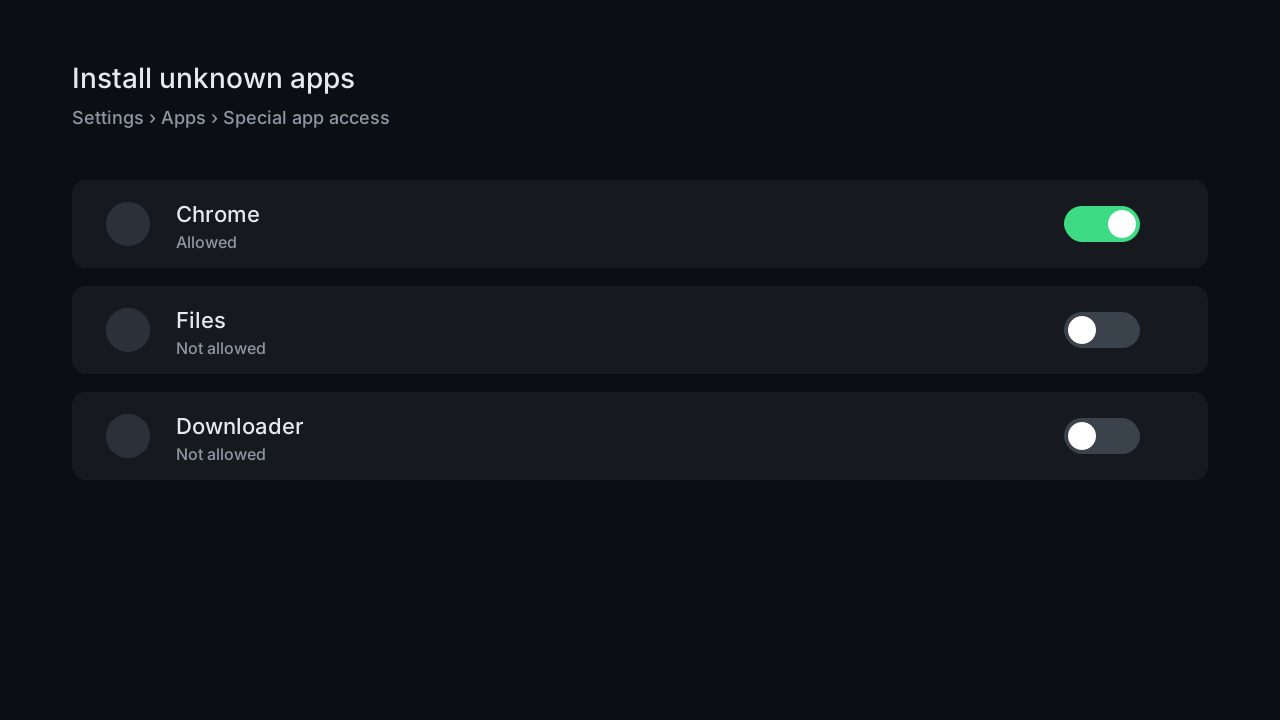
Diagram: Android's per-app Install unknown apps permission screen - 3
Route B - download and install the APK
Open the APK link from your welcome email, download, and tap the file. Android names the app requesting install permission - that is the toggle from the previous step. The install itself takes seconds.
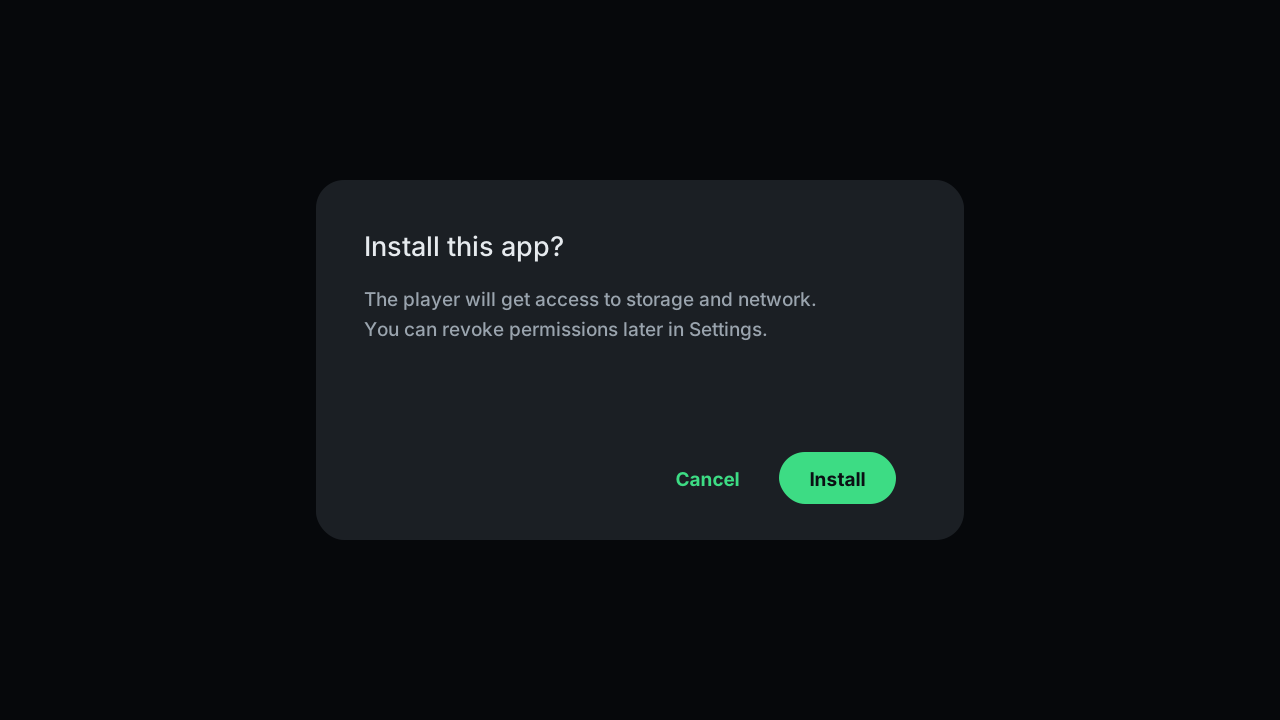
Diagram: the Android package installer confirming the player install - 4
Add your playlist
Open the player and choose Add playlist, then M3U URL. Paste the link exactly - prefix, domain, port - name the playlist, and save. On a TV box, pairing a Bluetooth keyboard or using your phone as a remote keyboard beats arrow-typing.
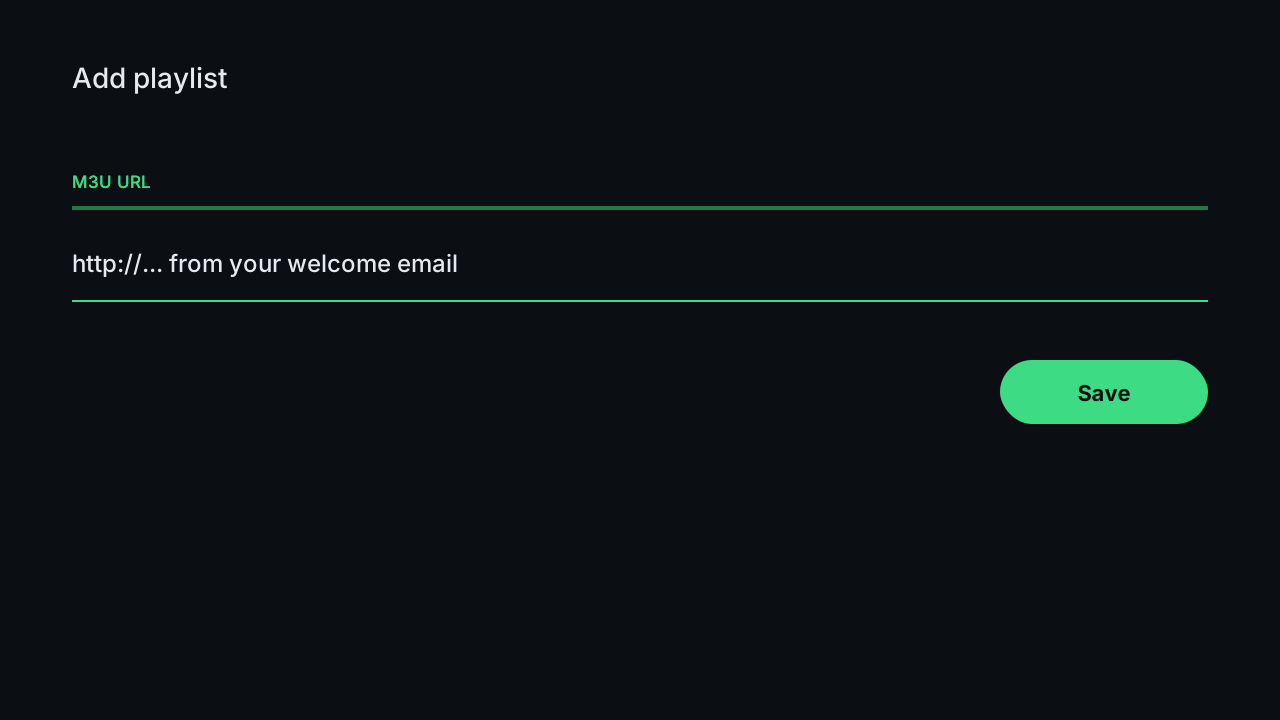
Illustration of the add-playlist screen where the M3U URL is pasted - 5
Let the EPG finish before judging anything
The channel list is instant; the guide takes about a minute to download the first time. Half of all empty-guide complaints are an interrupted first load - leave the app open until the grid fills.
- 6
Set the decoder to Hardware
Player settings, video decoder, Hardware (sometimes HW+). This hands video work to the chip built for it and is the single biggest smoothness win on boxes under $100. If a specific channel misbehaves on HW, switching that one channel to software decode is the standard fix.
- 7
Optional - point your favourite player at the same URL
Already live in TiviMate or another player? Add the same M3U URL there and skip ours entirely. The subscription supplies the stream; the player is your choice, and TiviMate's guide layout is genuinely excellent on big screens.
Android device classes for IPTV
| Device | Typical price | 4K ability | Verdict |
|---|---|---|---|
| Nvidia Shield TV | $150-200 | Excellent | The reference device - decodes anything |
| Chromecast / Onn 4K box | $20-50 | Good | Best value; set decoder to Hardware |
| Android TV built into the set | - | Good | Fine on 2019+ sets from major brands |
| No-name marketplace boxes | $20-40 | Poor | Software decode, stutters on 4K - keep to HD |
| Phones and tablets | - | Excellent | Flawless playback, mind cellular data |
Tips that save time
TiviMate users change nothing
The same M3U URL from your email drops straight into TiviMate, OTT Navigator, or whatever you already run. The subscription does not care which player renders it - pick the interface you like and keep it.
Boxes beat sticks for recording
A box with a real USB port plus a recording player is a working DVR - schedule from the guide, store on the drive. Sticks manage it over OTG adapters, but the box route is the one that survives daily use.
Cast to the guest room
The mobile players cast to any Chromecast target, so a phone covers a TV that has no app installed at all. Useful for guest rooms and travel - the phone is the remote, the TV just displays.
Common mistakes to avoid
Granting unknown-apps to the wrong app
The permission is per-app: it must be on for the specific browser or file manager opening the APK. Globally enabled but Chrome left off is the classic sideload dead-end.
Leaving the decoder on Auto on a cheap box
Auto frequently picks software decoding on budget chips, which turns 4K into a slideshow. Setting Hardware explicitly is a ten-second change that transforms $30 hardware.
Judging the app before the EPG lands
An empty guide sixty seconds in is a download in progress, not a fault. Interrupting and re-adding the playlist restarts the download and doubles the wait.
Streaming 4K over congested Wi-Fi
A box three rooms from the router shares airtime with every device in the house - confirm with Speedtest on the box itself. Ethernet, or the 1080p feed of the same channel, ends the evening stutter that gets misdiagnosed as a server problem.
If something isn't working
The APK will not install
+
Check the per-app permission first - Settings, Apps, Special app access, Install unknown apps, enabled for the app doing the installing. Then confirm the download completed; a partial APK fails with a generic parse error.
4K stutters on a budget box
+
Set the decoder to Hardware in the player. Still dropping frames? The chip is the ceiling - run that TV on the 1080p feeds, which every 4K channel also carries, and the picture stays smooth.
Playback dies when the phone locks
+
Enable background playback or picture-in-picture in the player, then exempt the player from battery optimisation - Settings, Apps, Battery. Samsung and Xiaomi phones kill background video aggressively without the exemption.
Audio is out of sync on one channel
+
Switch that channel to software decode in the player - budget chips occasionally mistime one codec. Global audio delay settings exist too, but per-channel decode is usually the actual fix.
The box feels slower every month
+
Uninstall what you do not use, clear the player cache, and reboot at the wall weekly. Cheap boxes ship with 8 GB of storage; when it fills, everything crawls.
Not listed? The setup hub covers the five most common problems across all devices, and support will walk it through with you live.
Android questions, answered
Which Android devices work with IPTV?
+
Effectively all of them: Android TV and Google TV sets, Nvidia Shield, Chromecast with Google TV, Onn and similar boxes, plus any phone or tablet on Android 7 or newer. Fire TV devices are Android too but follow their own guide because Amazon rearranges the settings.
Play Store or APK - which install is better?
+
Play Store when the player is listed: it is simpler and updates itself. The APK route exists for boxes without full Play access and for anyone wanting a specific build. The app is functionally identical either way, and both accept the same M3U URL.
Can I use TiviMate with this service?
+
Yes. TiviMate, OTT Navigator and comparable players accept the M3U URL from your welcome email directly. Player choice is entirely yours - the subscription supplies the stream and does not lock you to any app.
What is the best cheap Android box for IPTV?
+
The Walmart Onn 4K box and Chromecast with Google TV are the value picks - both decode 4K in hardware for under $50. The Nvidia Shield remains the reference if the budget stretches. Unbranded marketplace boxes are the ones to avoid for 4K.
How do I record IPTV on Android?
+
Use a recording player - TiviMate is the usual choice - plus storage: a USB drive on a box, or internal storage on a phone. Scheduling works from the guide like a DVR. Recording happens on your device; the subscription itself neither enables nor blocks it.
Does Chromecast work for rooms without the app?
+
Yes. The mobile players cast to any Chromecast-capable TV, with the phone as remote. It counts against your simultaneous-screen allowance while playing, exactly like a normal stream.
How many Android devices can I install on?
+
As many as you like. The plan limits simultaneous streams - one to five screens depending on your choice at purchase - not installations. A box, a phone and a tablet all configured is fine; three of them playing at once needs a three-screen plan.
Do I need a VPN on Android for IPTV?
+
No - the service runs without one, and US-served streams usually get slower through a distant VPN endpoint, not faster. If you run one anyway for privacy, split-tunnel the player app so video takes the direct route.
More general questions - legality, pricing, channels - live on the main FAQ.